


04-12-2013, 03:36 AM
Hello eveyone,
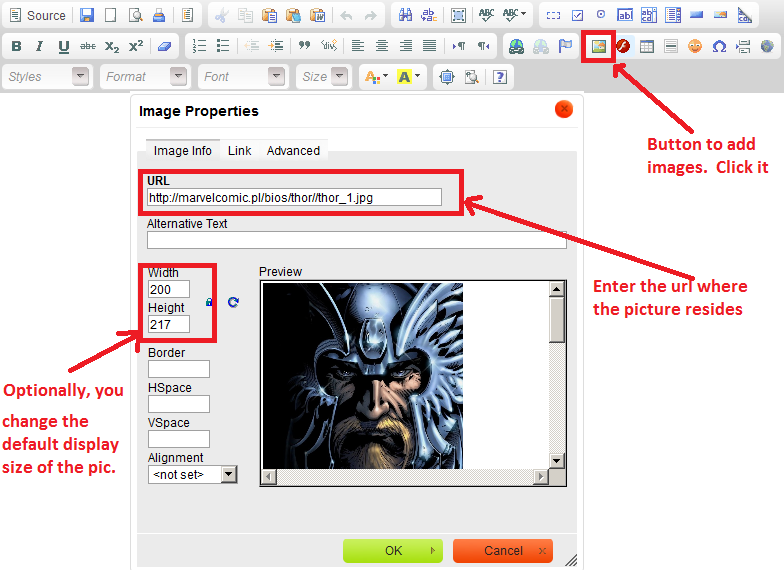
I was asked how to add a picture into a post. Follow the below steps:
- Create a new thread or post a reply as normal.
- Click the little scene icon in the middle icon bar at the far right (see screenshot)
- Enter the url where the picture resides (see screenshot)
- Optionally resize the image (see screenshot)
- Click OK
-
Finish and save your post.
- Clearly, offensive images will be deleted and if abused your userID will likely be revoked.
Keep it on Ice,
Hemi
